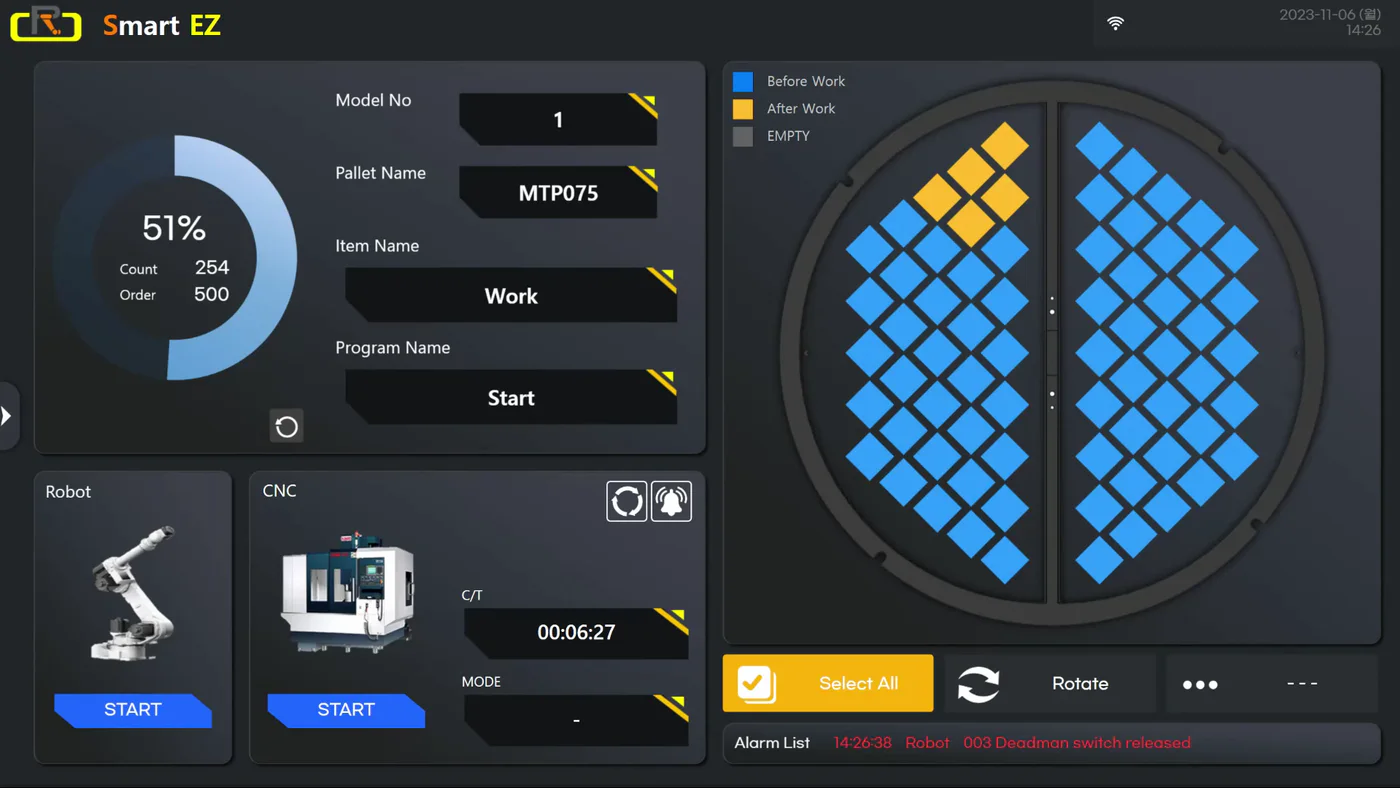
 01Selecting Model
Select a model number and set the project name.
Three connected tools — Smart EZ, Smart CNC, and Smart View — built to make robotic machine tending and CNC monitoring easier to run day to day.
Request a DemoAn easy-to-use robotic automation solution designed for everyone. Even users with no programming experience can get started quickly, thanks to an intuitive drag-and-drop interface and built-in robot programs. Machine and robot setup is complete in just a few steps.
01Intuitive drag & dropAnyone can build with ease — no complex setup required.
02Preloaded robot programsReady-to-use programs — never touch a robot pendant.
03No coding neededEasily program without technical expertise.
04Simple robot-machine connectionCNC machine interface completed by your distributor on-site.
05Auto path generationOptimize robot movement with minimal touchpoints.
Watch the approved English overview to see how Smart EZ simplifies robot setup and day-to-day machine tending.
01Selecting ModelSelect a model number and set the project name.
 02Model Configuration
Set the shape of the workpiece and robot hand.
 03Pallet Type Selection
Select the optimum tray size for the chosen workpiece.
 04Set Workpiece Position
Select workpiece shape and clamping method.
 05Set Recipe
Drag and drop to set up the recipe.
 06Apply CNC Machine
Select the connected CNC machine to begin operation.
Labot ModelLabot MT · Labot SD · Labot MD · Labot SQ · Labot SR
RobotFanuc Robot · Hyundai Robot · Universal Robot
Machine InterfaceFocas (Fanuc CNC) · EtherNet/IP · Digital I/O
OSWindows 10 · Windows 11
Touch PCStandard
An intelligent CNC control solution that goes beyond simple monitoring. It enables real-time tracking of multiple CNC machines — axis positions, program status, and remote tool offset adjustments — without walking up to the machine. Operators can monitor progress, compensate for tool wear, and apply automatic corrections through measuring-equipment integration.
Track RUN, STOP, and tool-life status across multiple CNCs.
Monitor X, Y, and Z axis movement and machining progress.
Modify tool offsets without approaching the machine.
Apply tool corrections based on measurement results.
Reduce operator movement and improve operational efficiency.
 01
01 02
02 03
03 04
04 05
05Complete the short form to access the free, 2-machine version of Smart CNC software.
An intelligent monitoring solution that visualizes the real-time status of multiple CNC machines across your production line. Instantly check RUN and STOP states, review measurement data, monitor productivity, and track operation rates from one screen — on the shop floor or in the office.
Track RUN, STOP, and alarm status across all processes.
View machine status without moving to the shop floor.
Access measurement data from machining results.
Analyze output, utilization, and downtime.
A foundation for digital production management.
 01
01 02
02 03
03 04
04